
Color Organization
Keeping colors consistent across an application is difficult, here are some patterns that I use that help with consistency. The syntax in the code examples is in Sass.
Variables
When I need a new color, I begin with assigning it as a global sass variable. Another option would be to use a sass map for colors, making looping possible (I am considering changing to this approach).
The basic building block for the color system is the global variable. They consist of a post-fix “color”, a [shade] and a unique identifier [name], ‘color-[shade]-[name]’.
$color-grey-elephant: #F1F1F1;
$color-red-kickflip: #e74c18;
$color-green-leaf: #17ae00;
Note: The syntax in the code examples is in scss.
The post-fix “color” identifies the variable as being associated a hex code value, next the shade “$color-[green etc.]” gives some indication to what shade of color its is, then lastly the name is just a any string (get creative), providing some memorability by having a unique name.
I have been called out multiple times on how ridiculous my naming can get on occasion, but at least it is memorable. These color names can then also be shared with others, so that everyone has the same name to reference for the color. I am still experimenting with ways to share these colors to people that do not code, one attempt I have experimented with is to regex all the hex codes in a file and then use those hex codes to build a static html file, this builds a “color styleguide”.
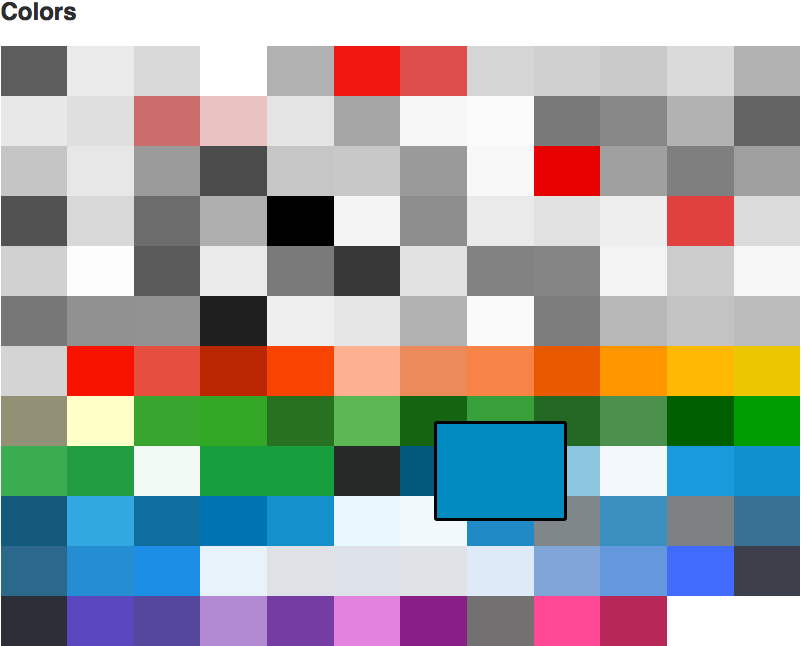 Link to styleguide
Aliases
The second building block to the color system is aliases. Instead of repetitively informing others that “$color-green-leaf” is used on all “Edit” buttons, we can give the colors secondary names that describe exactly what it is used for.
$color-alias-edit-button: $color-green-leaf;
$color-alias-delete-icons: $color-red-kickflip;
$color-alias-external-hyperlinks: $color-green-leaf;
Similar to our standard color variable naming pattern, the aliases begins with a static identifier [color-alias]. Its clear what each color is used for, and others can reference the code for the color alias. It also helps prevent others from creating similar colors for the same purpose, e.g. creating similar shades of green for the same edit button used in different locations.
Classes
Having the colors available in sass is a inherit benefit, making them available for direct use in the html would be convenient for speeding up development and preventing having to write new classes every time we want to use a color. To have easy access to each color and color alias I then create a class of the same name for each.
.color-grey-elephant { color: $color-grey-elephant; }
.color-alias-edit-button { color: $color-alias-edit-button; }
This can become less tedious by looping to producing these classes, one approach could be to store the colors in a sass map.
When I want to use the color in the html, I can then use it directly as a class.
<a class="button color-alias-edit-button">Edit</a>Its most likely that we want the color of the buttons background to be green, but the class that we have applied will only change the text color by default. This is where the use of the property value “currentColor” becomes very useful. To get the button to appear with a green background we could add this to our button class.
.button {
	display: inline-block;
	padding: 10px 5px;
	border-radius: 2px;

	background: currentColor;
}
Now we have a green background. A pre caution for using currentColor in this context, is that the buttons text is now green as well. To fix this we can use another element within our button and make sure it does not inherit its color from its parent.
<a class="button color-alias-edit-button">
	<span class="color-grey-elephant">Edit</span>
</a>
Aliases in Javascript
I have found it useful to keep a list of color aliases in the javascript, in my case for use in graphs. That way the sass still owns the colors, but the js has a reference to the class name which it can then apply when needed to elements. This saves use from duplication, and when the colors change in the sass it will be reflected in the JS applied versions as well. In the following example the key is the type of data being graphed.
const classColorAliases = {
	people: 'color-alias-graph-people',
	dogs: 'color-alias-graph-dogs',
	cats: 'color-alias-graph-cats'
};